









Play Anywhere on Yukon Gold Mobile App
If you want to be able to play casino games on the go, you can use our Yukon Gold casino app. The application is optional for both Android and iOS devices alike, and it won’t cost you anything. Instead of being a standalone app, our Yukon Gold app works as a PWA. In other words, the application will be using the mobile browser of your device. This version has identical casino games, the same protection measures, but won’t even take any space as it’s using the browser your device already has.

How To Get App
For both Android and iOS devices, the Yukon Gold casino app download is not needed, as you will be using the PWA version instead. The installation process is very simple regardless of the device you are using. If you want to get the PWA version of the Yukon Gold casino mobile app, you will need to complete the next steps:
- Visit the Yukon Gold site by using the mobile browser of your Android or iOS device.
- Tap the menu button, or the Share button if you use iOS.
- Tap on the “Add to Home Screen” button. For Android, it may be the “Install App” button instead.
- Check the link, name the application, and confirm the installation.
The icon of the application will immediately appear on your home screen as soon as you are finished.
Playing Casino Games in the App
By getting the Yukon Gold app on your Android or iOS device, you can play the same casino games as you would on the website. You can play slots, table games, instant win games, as well as live games. To start using the app for playing:
- Open the Yukon Gold app, then sign up or log in to your account.
- Tap on the Deposit button, pick the available payment method, and make a deposit.
- Open the casino section, then choose which game you would like to play based on genre, provider and mechanics.
- Press “Spin” or “Play” after adjusting the stake depending on your preferences.
The casino library features hundreds of games, all of which are the same as on the desktop website, meaning you will be able to play your favorite games on the go.
Mobile Login
You do not need to have a separate account in order to be able to use the application, as you can use the account you already had while using the desktop website. You will only need to log in to your account in the application, which is done by following the next steps:
- Open the Yukon Gold app.
- Press the “Sign In” button.
- Enter your email or username.
- Fill in your password.
- Press “Sign In” to confirm.
In case you do not remember your password or can’t log in to your account, you should contact the support team. It works all day long, so you just need to state the issue, and the support team will quickly help you fix it so that you can continue playing.
Mobile Interface
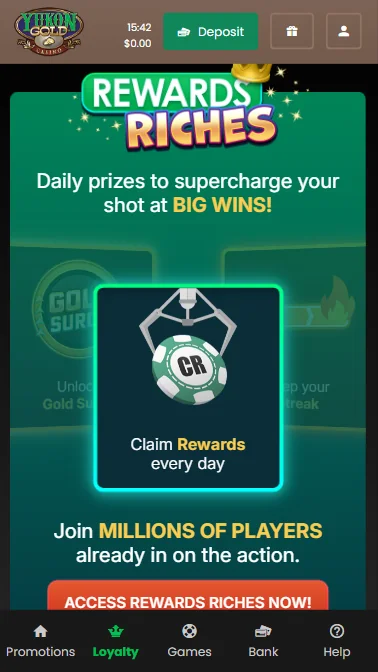
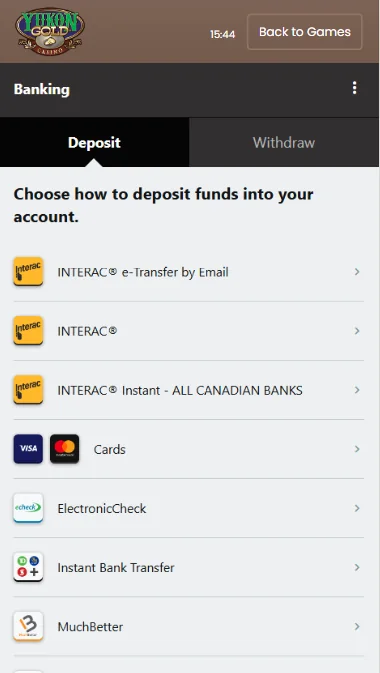
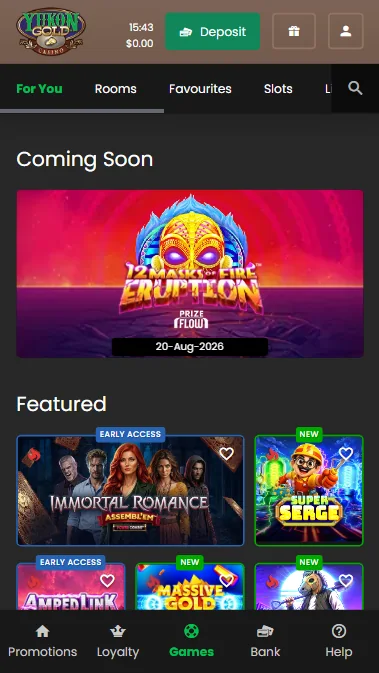
Using the Yukon Gold app for playing casino games will be very enjoyable, since the app is perfectly adapted for screens of all sizes. When you open the main page, you will immediately see all the main buttons, including registration, logging in, loyalty program, promotions, depositing, as well as support. The casino section clearly shows all the newest games once you open it, and you will be able to filter the available games by game genre, providers, as well as mechanics like bonus buy. To play, you will need to tap on the icon of the game, then set the amount you would like to play with, and press “Spin” or “Play”.
Yukon Gold App Safety
We imply heavy protection measures into our PWA Yukon Gold app. All the money and data that you provide are securely stored in SSL-encrypted servers, and the data you provide is not disclosed to anyone. The app operates under the Kahnawake Gaming Commission license, and to improve the levels of protection, we require you to complete the verification, which can be done in the app itself. You will only need to send clear photos of your ID or passport, payment-related details, as well as proof of address. You may also link Google Authenticator to your Yukon Gold account in the app so that you need to enter the code each time you log in or make a payment.